How to Coordinate Music With Presentation Cues
Quick Summary
To coordinate music with presentations, build a shared run of show first, then tie every music cue to a specific slide, spoken line, or stage action. Share one cue sheet with the speaker, operator, and emcee, and rehearse the handoffs before guests arrive.
- Map the run of show before choosing any tracks, listing segment, timing, speaker, music type, and cue trigger.
- Anchor each cue to a slide, spoken line, or stage action rather than a clock time.
- Use a cue sheet with cue number, trigger, track, fade length, owner, and fallback for every cue.
- Keep microphone, background music, and playback on separate channels and set the music to duck when the mic is live.
- Run a five-minute cue drill with the actual speaker and clicker, and keep a backup playback device ready.
Table of Contents
- Why Music and Presentations Need a Shared Plan
- Step 1: Map the Run of Show Before Choosing Any Tracks
- Step 2: How to Time Music Cues for Presentations
- Step 3: Set Up Audio Routing and Levels Before Guests Arrive
- Step 4: Rehearse, Plan Contingencies, and Clear Music Licensing
- When to Hire a Professional DJ for Corporate Events
- Book Your Presentation Music Plan With TheMovement315
- Frequently Asked Questions
Last Updated: October 29, 2026
The keyword is about getting music and presentations to coordinate music with the speaker, so the program flows as one. For a corporate event, that means the walk-on song, the transition track, and the closing music have to land on the right slide at the right moment. Without a plan, the music starts late, cuts out mid-sentence, or drowns out the speaker. For local options, see corporate DJ and MC services in Syracuse.
Why Music and Presentations Need a Shared Plan
Music and presentations are usually planned by different people at different times, which makes it hard to coordinate music with the slides and speakers. The speaker owns the slides, the event planner owns the schedule, and the music gets added at the end.
A shared plan fixes this. Everyone agrees on the order of events, the cue points, and who triggers each sound before anyone sets foot in the room.
Here is what goes wrong without one:
- The opening track plays over the emcee's welcome
- A speaker walks on before the walk-on music starts
- The background track is too loud during a Q&A
Step 1: Map the Run of Show Before Choosing Any Tracks
Start with the schedule, not the playlist. A run of show lists every segment of the event in order, with start times and who is responsible for each part.
Build your run of show with these columns:
- Segment: arrival, welcome, keynote, awards, breakout, closing
- Start time and length: the planned minutes for each segment
- Speaker or host: who is on stage
Music choices come after this. For a broader view of organizing the full event schedule, see the corporate event entertainment planning guide. A calm instrumental track suits arrivals and networking. A higher-energy piece works for a product reveal.
Step 2: How to Time Music Cues for Presentations
A cue is a specific point where music starts, stops, or changes. Good cues are tied to something you can see or hear, not just a clock. Clock times drift when a speaker runs long, so anchor every cue to a slide, a spoken line, or a stage action.
Build a Cue-by-Cue Run-of-Show Template
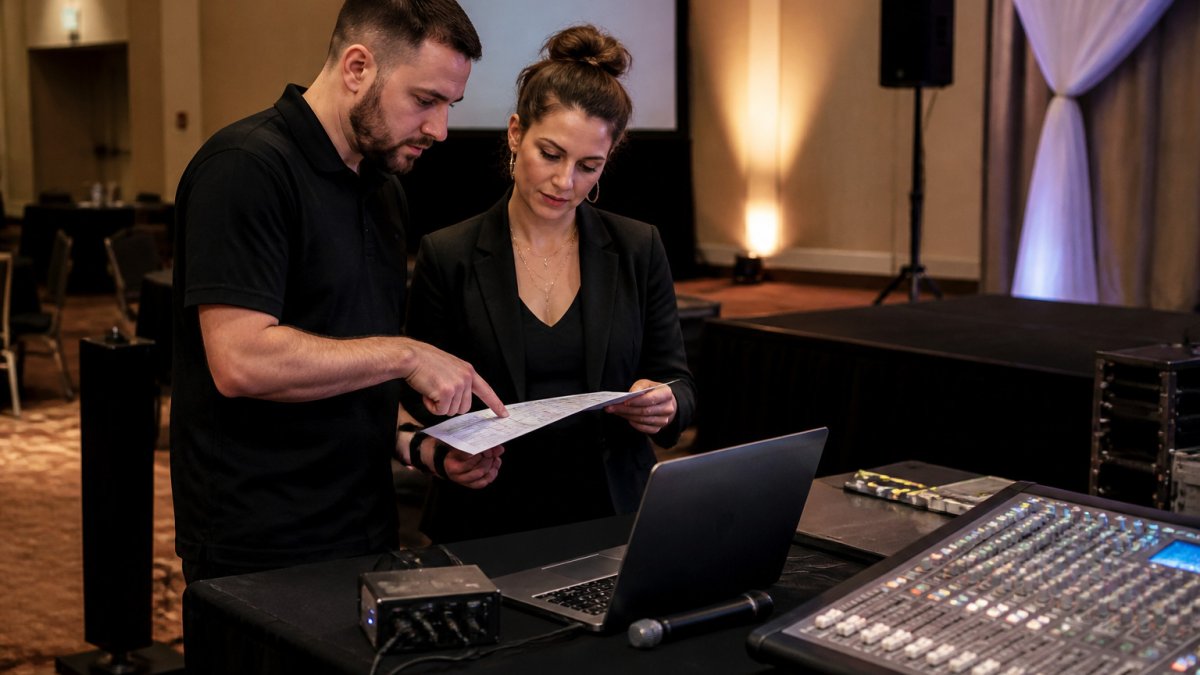
Most planners find that a single cue sheet, shared by the speaker, the AV operator, and the emcee, prevents the late starts and mid-sentence cutoffs that ruin a presentation. Use a table with these columns and fill one row per cue:
- Cue number: C1, C2, C3, and so on, so anyone can call it out loud
- Segment: arrival, welcome, keynote walk-on, video playback, award handoff, Q&A, closing
- Trigger: the exact slide number or name, the spoken line, or the stage action that starts the cue
A practical template for a typical corporate program looks like this:
Cue | Segment | Trigger | Music action | Owner |
|---|---|---|---|---|
C1 | Arrivals | Doors open | Background playlist at low level, looped | AV operator |
C2 | Welcome | Emcee reaches podium, slide 1 up | Fade background to silence over 3 seconds | AV operator |
C3 | Keynote walk-on | Emcee says the speaker's name | Walk-on track starts, fades out as speaker reaches mic | AV operator |
C4 | Video playback | Speaker says "let's watch" | Music out, video audio live, music returns after video | AV operator |
C5 | Speaker handoff | Slide changes to next speaker's title | 5-second transition sting, then silence | AV operator |
C6 | Q&A | Slide reads "Q&A" | Music to silence, mic priority on | AV operator |
C7 | Closing | Final slide up | Closing track fades in as guests applaud | AV operator |
Opening, Speaker Walk-On, and Transition Cues
Plan three main types of cues:
- Opening cue: music starts as guests settle in, usually before the first slide appears. Keep it instrumental and low so early conversations are easy.
- Walk-on cue: a short track starts as the speaker crosses the stage, then fades out as they reach the mic. Most walk-on tracks run 15 to 30 seconds; fade out before the speaker starts talking, or you will compete with their voice.
- Transition cue: a brief sound marks the move from one segment to the next. A 3- to 5-second sting is usually enough; longer transitions invite the audience to keep talking.
Coordinating Slides, Speakers, and Playback
Connect each cue to a slide change. For example, the slide reading "Welcome" triggers the opening track, and the slide reading "Q&A" drops the music to silence. Hand the operator a cue sheet with the slide number or name, the exact track and start point, the fade-in and fade-out length, and the line the speaker will say before the cue.
Handling Video Playback and Speaker Handoffs
Video playback is where music cues most often collide. Decide in advance whether the video carries its own audio or whether music plays underneath. If the video has audio, cut the music fully before playback starts and bring it back only after the video ends. For speaker handoffs, use a short transition sting rather than a full song, and have the incoming speaker wait for the sting to finish before speaking.
Step 3: Set Up Audio Routing and Levels Before Guests Arrive
Most music problems in corporate settings are technical, not musical. Set up your audio the day before, then check it again in the room.
Walk through these checks:
- Separate channels: keep the microphone, background music, and playback on different inputs so you can adjust each one alone
- Sound check: test every track and the microphone at the actual event volume
- Background level: music should sit low enough that people talk over it easily during networking
Ask the venue about speaker placement and room size before the event. A large ballroom needs more coverage than a small meeting room, and a fully loaded room soaks up sound differently than an empty one.
Step 4: Rehearse, Plan Contingencies, and Clear Music Licensing
A rehearsal catches problems that a plan cannot. Run the transitions with the actual speakers, slides, and playback equipment, even if only for ten minutes. The goal is not a perfect performance; it is to confirm that every cue fires on the right trigger and that the audio behaves at event volume.
Technical Setup and Audio Routing
Most music problems in corporate settings are technical, not musical. Set up your audio the day before, then check it again in the room. Walk through these checks:
- Separate channels: keep the microphone, background music, and playback on different inputs so you can adjust each one alone.
- Sound check: test every track and the microphone at the actual event volume, with the room set up as it will be for guests.
- Background level: music should sit low enough that people talk over it easily during networking.
Ask the venue about speaker placement and room size before the event. A large ballroom needs more coverage than a small meeting room, and a fully loaded room soaks up sound differently than an empty one. If the venue provides its own AV, get the name of the on-site technician and confirm who controls the music channel during the program.
Rehearsal and Contingency Planning
Plan for failures before they happen:
- Keep a backup playlist on a second device
- Know how to skip a track quickly without a loud click
- Have a silent fallback if the music system fails
- Assign one person to watch the cue sheet during the event
Music Licensing and Permissions
Music licensing is another item to check early. Public performance of recorded music often requires licensing, and the rules depend on how and where you play it. Ask the venue whether it already holds a license covering music played at events, and confirm the details with a licensing organization such as ASCAP or BMI before the event. If you plan to sync music to slides, videos, or recorded highlights, that is a separate permission from public performance, so confirm with the venue or your production provider who is responsible for clearing it.
Accessibility and Hybrid Coordination
Inclusive sound design is part of a professional presentation. Confirm that captioning is available for any recorded or streamed content, keep volume levels consistent so guests with hearing aids are not startled by sudden cues, and have the emcee speak a clear spoken transition before each music cue so the audience knows what is happening. For hybrid events, route music to both the in-room system and the stream, and test for echo and latency before the event.
When to Hire a Professional DJ for Corporate Events
Some events have too many moving parts for one person to manage alone. Consider a professional DJ or MC when:
- The program has many speakers, awards, or segment changes
- You want the emcee and music to work as one team
- The event is large enough that sound coverage needs expert setup
- No one on your staff has run audio for a live event before
A professional can handle the cue sheet, sound check, and backup plan, so your team can focus on the guests. Pricing depends on the event length, venue, and services needed, so request a quote from TheMovement315 for current rates. You can also review professional MC and DJ cost ranges before you ask.
Book Your Presentation Music Plan With TheMovement315
Planning music and presentation cues takes time, and a single missed cue can change how an event feels. TheMovement315 offers a pressure-free phone consultation. Serving Utica, Syracuse, and all of Central New York, TheMovement315 provides customized DJ services.
Get Quote
Frequently Asked Questions
How do you choose background music for a corporate presentation?
Start with the event's purpose, audience, and formality, then pick genres that fit that tone. Background music during arrivals and networking can be upbeat and familiar, while speeches usually need quiet instrumental beds that stay well below the speaker's voice. Test selections against the venue's sound system before the event, and avoid lyrics during spoken segments. TheMovement315 offers a pressure-free phone consultation. Contact the team for a quote.
Should music be played during corporate speeches?
Usually only at low volume, and only if it supports the moment. Many planners fade music under the opening remarks and stop it entirely during key announcements or Q&A. Keep a clear cue for when the music stops and when the speaker begins, and confirm that the speaker is comfortable with the arrangement during rehearsal. Instrumental music without strong melodic hooks is the safest choice for spoken content.
What is the best way to transition music during a corporate event?
Use a consistent crossfade of about three to five seconds, and time the transition to the end of a speaker's sentence or a slide change rather than mid-phrase. Keep the energy level similar between tracks so guests are not jolted. Assign one person to own the playback so the handoff between presenters and music happens without hesitation. A written run of show that lists each transition helps everyone stay aligned.
What is the best way to ensure audio levels are consistent for presentations?
Run a sound check with the actual microphones, playback device, and venue speakers, not just the laptop speakers. Set music to a level that sits clearly under speech, then have a presenter speak at normal volume to confirm the balance. Re-check levels once the room is full, since guests absorb sound and change the acoustics. A dedicated volume contact on site lets you adjust quickly if the room sounds different than expected.