Managing Event Transitions Like a Pro: 2026 Guide
Table of Contents
- Why Event Transitions Make or Break Your Event Flow
- Build Your Event Run of Show Template Before Anything Else
- How to Write an MC Script for Event Transitions
- Set Event Scheduling Buffer Time That Actually Works
- Coordinate Audiovisual Cues and Production Team Communication
- Keep Guests Engaged During Transition Periods
- Plan for Virtual, Hybrid, and Failed Transitions
- Conclusion
- Frequently Asked Questions
Last Updated: September 22, 2026
Why Event Transitions Make or Break Your Event Flow
Event transitions are the planned moments between segments of a live event, such as when dinner ends and speeches begin. Get them right, and the night feels effortless. Get them wrong, and guests notice every second.
Build Your Event Run of Show Template Before Anything Else
An event run of show template is a minute-by-minute document listing every segment, who is involved, and when it happens, the backbone of smooth transitions.
Build this before you book anything else. It covers:
- Segment name and start time
- Who is on stage or speaking
- What music or AV cue plays
- How long the segment runs
- Who is responsible for the handoff
What Every Run of Show Needs
Every run of show needs four things: exact times, named owners, cue notes, and a buffer column. Without named owners, tasks fall through the cracks; without buffer time, one late speaker wrecks the night.
Cue Sheet Basics for Live Production
A cue sheet is the technical companion to your run of show, telling your production team exactly when to fire lights, sound, and video.
How to Write an MC Script for Event Transitions
An MC script for event transitions is a short, written set of lines your master of ceremonies uses to move guests between segments, keeping the host confident and the audience oriented.
- Announces what just ended
- Teases what comes next
- Gives guests a clear action, like "please find your seats"
Set Event Scheduling Buffer Time That Actually Works
Event scheduling buffer time is the extra minutes built into your timeline to absorb delays. Most events run 15 to 20 minutes behind by the end of the night, so plan for it.
Here is how to set buffer time that works:
- Add 5 minutes after every guest-facing segment
- Add 10 minutes before dinner service
- Add 10 minutes before any live performance
- Never stack two tight segments back to back
Coordinate Audiovisual Cues and Production Team Communication
Build a Cue Language Your Whole Team Speaks
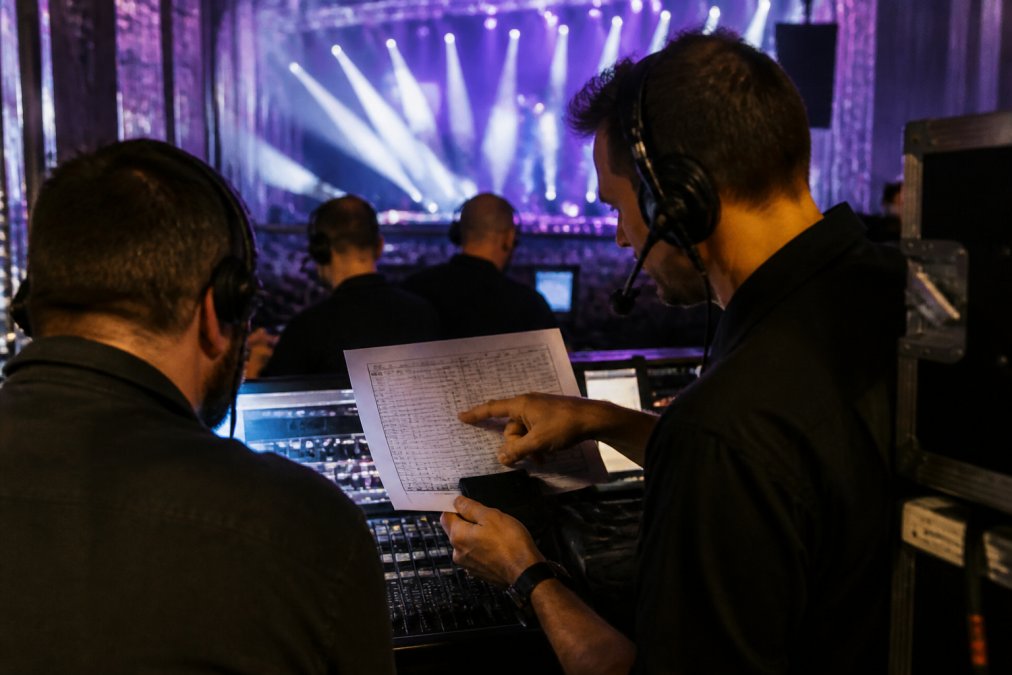
A cue is a command with a trigger, an owner, and a duration. Write cues in the same format every time so nobody has to interpret them mid-show:
- Trigger: the exact moment the cue fires ("MC says the last word of the intro")
- Owner: the one person responsible for firing it ("AV tech, position 1")
- Action: what physically happens ("house lights to 40%, walk-up music up")
- Duration: how long it runs ("music fades at 90 seconds or on handshake")
Communication Protocols That Hold Up Under Pressure
Set up a communication plan before rehearsal day:
- One point of contact for the MC and the AV team. If three people can give the AV tech instructions, the AV tech will get three different instructions.
- A shared cue sheet, versioned and frozen the day before. If it changes on event day, one person owns the change and announces it to the whole team.
- A pre-event huddle to walk through every transition out loud, in order, with the people who will actually fire the cues.
- A discrete "running late" signal, a hand signal, a code word, or a radio call, that the MC and stage manager agree on in advance. This is the cue that saves the night when a speaker runs long.
On comms gear: for most events under a few hundred guests, a two-channel radio setup (one channel for stage, one for AV) is enough. For larger or multi-room venues, a wired intercom or push-to-talk app beats shouting across a ballroom. Either way, the MC should reach the AV tech in under five seconds without leaving the stage.
Technical Rehearsal Checklist
Run a technical rehearsal the day before or morning of your event, not a run-through of the show, but of the cues. Use this checklist:
- Test all microphones, including the backup handheld and any lavaliere
- Walk through every AV cue with the tech, in order, at show pace
- Confirm music start and stop points, including fade-out timing
- Check lighting changes for each segment, including the walk-in and walk-out looks
- Practice the MC handoffs out loud, with the actual mic in hand
- Confirm the signal for "we are running late" and rehearse using it
- Test the backup plan for the most likely failure (mic dies, video will not play, laptop will not connect)
Keep Guests Engaged During Transition Periods
Guest engagement during transitions is where most events lose momentum. The fix: never leave guests with nothing to do.
Try these tactics:
- Play upbeat music during every setup change
- Have the MC give a short, friendly update
- Use photo booths or karaoke to fill longer gaps
- Keep the bar or snack stations open during transitions
Plan for Virtual, Hybrid, and Failed Transitions
Most transition advice assumes a room full of people who can read the energy. Hybrid and virtual events break that assumption, and failed transitions break every plan, which is what separates a pro from a planner with a good template.
Hybrid and Virtual Transitions Need Their Own Script
Remote guests cannot read the room, they cannot see the MC glance at the stage manager or feel the lights come down. Every transition has to be narrated out loud for them, and every technical handoff tested before it is live.
For hybrid events:
- Announce every transition out loud for remote viewers. "We are moving to the awards segment now, if you are joining us online, stay with us." The in-room audience barely notices; the remote audience stays oriented.
- Keep a dedicated host watching the chat. The MC cannot run the room and the chat at the same time. Assign one person to answer remote questions, flag audio issues, and post the next segment's start time.
- Test the streaming setup during rehearsal, not live. Confirm the audio feed the remote audience hears is the same feed the room hears, a common failure is the remote feed picking up the room mic instead of the board output, so remote guests hear echo and crowd noise instead of the speaker.
- Build a 10- to 15-second delay into your transitions. Remote feeds lag behind the room. If the MC cues the next segment the instant the previous one ends, remote guests miss the first few seconds. A short beat of music or a holding slide covers the gap.
- Have a remote-only backup. If the stream drops, the in-room show must continue. The remote host should have a scripted line ready, "We are experiencing a brief technical issue; we will be right back", and a slide to hold the screen.
A Plan B Framework for Failed Transitions
Failed transitions are not a matter of if, but when. A speaker runs long, a video will not play, a mic dies mid-toast, a laptop will not connect. The pros do not prevent every failure, they rehearse the recovery.
Build a contingency plan around four failure types:
- Time failures (a segment runs long or short). The MC has a scripted "fill line" and the DJ has a backup playlist ready to cover dead air. A group photo or a short interactive moment buys two to three minutes without feeling like a stall.
- Technical failures (AV, mic, video, or laptop). The AV tech has a backup mic already powered on, a backup playback device already cued, and a backup cable already tested. The MC has a scripted line that acknowledges the issue without apologizing for it, "We are going to take a quick beat while the team sorts that out", and the DJ brings music up immediately.
- Human failures (a speaker is late, a presenter goes off-script, an award winner is not in the room). The stage manager has the next segment's cue ready to fire early, and the MC has a transition line that bridges to it without exposing the gap.
- Environmental failures (power, weather, a venue issue). The team has a single point of contact for the venue and a pre-agreed meeting spot if the room has to be cleared. This is rare, but it is the failure that most exposes an unprepared team.
Why Transitions Matter More Than Most Planners Think
The psychological impact of a bad transition compounds. Guests have a short window of attention between segments; when a transition stalls, that window closes, phones come out, conversation starts, focus scatters. Winning it back takes minutes, and every minute spent recovering is a minute the next segment does not get.
Conclusion
Every event hits a moment where the plan meets reality. A speaker runs long, a cue gets missed, or the room needs a reset. The difference between a good event and a great one is how you handle those moments.
Frequently Asked Questions
What are the most common mistakes in event transition management?
The biggest mistakes are skipping technical rehearsals, leaving no buffer time between segments, and failing to brief the MC on transition cues. Without a run-of-show that includes cue points for lighting, music, and speaker changes, transitions feel chaotic. Another frequent error is treating virtual and hybrid transitions the same as in-person ones, which ignores audio delays and camera switching needs.
How much buffer time should be included in an event schedule?
A practical rule is 5 to 10 minutes between major segments and 15 minutes before any live production element that requires setup, such as a slideshow or award presentation. Event scheduling buffer time protects your timeline when a speaker runs long or a technical glitch delays a cue. Build buffer into the run-of-show itself, not as an afterthought, so the MC and production team know exactly when to absorb delays.
What is the role of an MC in managing event transitions?
The MC bridges segments by keeping energy up, introducing what comes next, and buying time if something runs behind. A strong MC script for event transitions includes filler lines, audience engagement prompts, and clear handoff cues to the production team. The MC also reads the room: if guests are still seated after dinner, the MC adjusts pacing rather than forcing the next segment too early.
How do you keep guests engaged during event transitions?
Music is your best tool. A DJ who reads the room can shift the energy with a song change while tables are reset or awards are staged. Interactive elements like photo booths, trivia slides, or karaoke sign-ups give guests something to do during downtime. The key is making transitions feel intentional, not like dead air, so the audience experience stays positive from start to finish.
Event planning best practices from the Project Management Institute
Guide to accessible event design from the ADA National Network
Live event production standards from the Event Safety Alliance