How Do You Create a Wedding Reception Playlist?
Last Updated: November 4, 2026
Quick Summary
To create a wedding reception playlist, define your vibe and must-play list first, then organize songs by reception moment rather than by genre. Build one master playlist plus sub-playlists for cocktail hour, dinner, formal dances, open dancing, and last dance, and download everything for offline playback on two devices.
- Plan for roughly 60 to 80 songs across a four-hour reception with continuous music.
- Prepare about 20 percent more music than your timeline requires to avoid dead air.
- Add your ten to fifteen must-plays before anything else, plus a written do-not-play list.
- Order songs by tempo, not genre, so energy climbs through each block.
- Keep personal favorites to about a third of the dance set; the rest should be recognizable.
Table of Contents
- Start With Your Wedding Vibe and a Must-Play List
- How Many Songs for a 4 Hour Wedding Reception?
- Use a Wedding Playlist Template Broken Down by Moment
- How to Create a Wedding Reception Playlist on Spotify
- Balance Crowd-Pleasers, Personal Favorites, and Every Generation
- Wedding Dance Floor Etiquette Every Couple Should Know
- Handle the Technical Side: Licensing, Sound, and Backup Plans
- Get a Pressure-Free Consultation Before You Finalize Your Playlist
- Frequently Asked Questions
Start With Your Wedding Vibe and a Must-Play List
A wedding reception playlist is the ordered set of songs, moment by moment, that carries your guests from cocktail hour through the last dance.
Start with a must-play list of ten to fifteen songs you cannot imagine the night without. Then write a do-not-play list. Most couples skip this step, and it is the one that prevents the moment a song you hate fills the floor.
Pick three words that describe your vibe, then test every song against them. If you want help thinking through music across the whole day, from processional to last call, see our guide on how to choose wedding music from ceremony to reception.
How Many Songs for a 4 Hour Wedding Reception?
Plan for roughly 60 to 80 songs across a four-hour reception, assuming music plays continuously. That figure accounts for cocktail hour, dinner, dancing, and the formal moments in between.
Here is the working math we use when planning with couples:
- Cocktail hour: about 15 songs of ambient music
- Dinner: about 15 songs of background music
- Formal dances and toasts: 5 to 8 songs
- Open dancing: 35 to 45 high-energy tracks and slow dances
Build in a buffer. A good rule is to prepare about 20 percent more music than the timeline requires, so a short toast or a delayed dinner service never leaves dead air.
Use a Wedding Playlist Template Broken Down by Moment
A wedding playlist template organizes music by reception flow rather than by genre. That structure keeps energy rising through the night instead of peaking too early.
Reception Moment | Duration | Music Style | Songs Needed |
|---|---|---|---|
Cocktail hour | 60 min | Ambient, jazzy, low-tempo | 12-15 |
Grand entrance | 5 min | High-energy, bold | 2-3 |
Dinner | 45-60 min | Mellow, conversational | 12-15 |
Formal dances | 15 min | First dance, parent dances | 4-5 |
Open dancing | 90 min | Crowd-pleasers, rising tempo | 30-35 |
Last dance | 5 min | Sentimental closer | 1-2 |
If you want a fuller, moment-by-moment breakdown, our wedding DJ playlist tips guide walks through each block in detail.
How to Create a Wedding Reception Playlist on Spotify
Building your reception playlist on Spotify is a project you can finish in an evening if you work in a fixed order. The goal is one master playlist plus short sub-playlists for each reception moment, all downloaded for offline playback on two devices.
Here is the process most couples follow:
- Create the master playlist first. Name it with the date and a version number, for example "Reception Master v1, 06.14." Versioning matters because you will revise it a dozen times, and you want to know which file the venue received.
- Add must-plays before anything else. Drop in your ten to fifteen non-negotiable songs, then the do-not-play list as a separate text note you hand to whoever runs the music. Spotify has no built-in blocklist, so the written list is the control.
- Build one sub-playlist per moment. Cocktail hour, dinner, formal dances, open dancing, and last dance each get their own playlist. Short lists reorder faster on the day than one 80-song master.
- Order by tempo, not by genre. Use a free BPM analyzer or Spotify's own tempo sort in the desktop app to sequence tracks so energy climbs through each block instead of lurching between a ballad and a banger.
- Download every playlist for offline mode. On mobile, toggle "Download" on each playlist; on desktop, use the download switch in the playlist header. Offline mode is the single most important setting, venue Wi-Fi and cellular congestion are the most common cause of dead air at DIY receptions.
- Export a backup. Spotify does not let you export audio files, so keep a second device signed into the same account with the same playlists downloaded, plus a phone with a curated fallback playlist of 20 songs. If the primary device fails, you swap in under a minute.
- Share a request playlist, not your master. Create a separate collaborative playlist called "Guest Requests" and share the link on a QR code at the welcome table. Requests land in one place and never touch your sequenced master.
Watch out: streaming catalogs change. A licensed version of a song can be pulled or replaced with a different master before your date, and a track you tested in March may be a live version by June.
Balance Crowd-Pleasers, Personal Favorites, and Every Generation
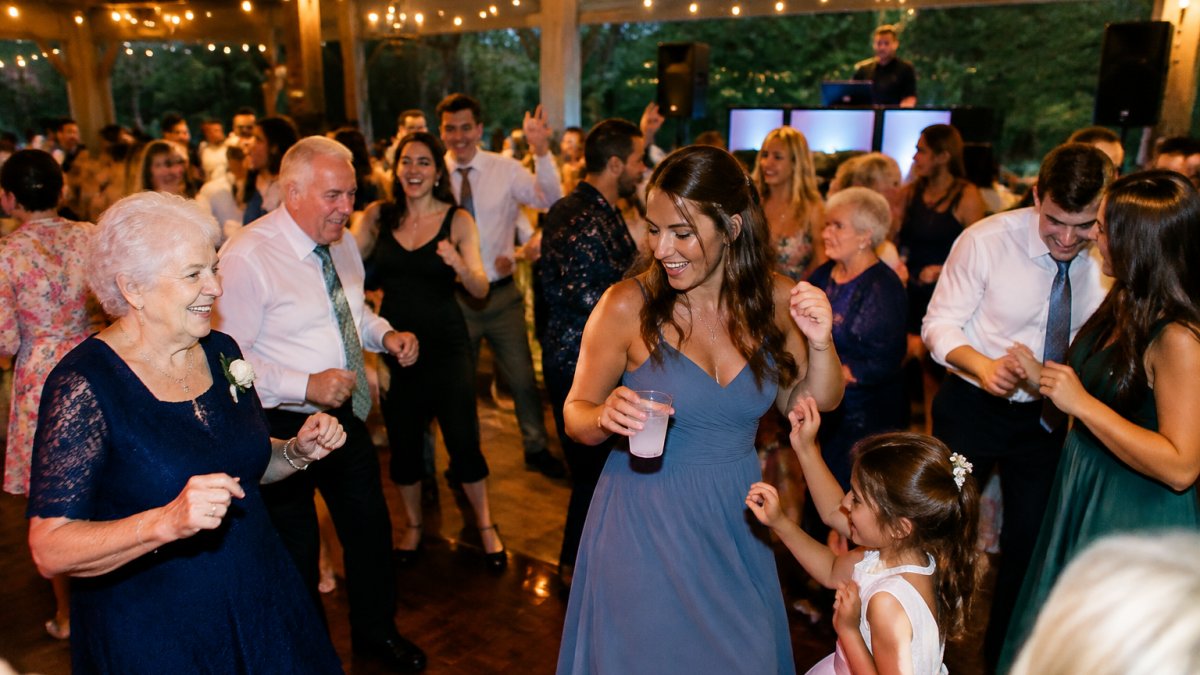
A mixed-age wedding works when you rotate through eras instead of settling on one. Grandparents, parents, and college friends each need a stretch of songs that belongs to them.
The pattern that holds a floor: open a block with a crowd-pleaser everyone knows, follow it with two songs for one generation, then bridge back with a universal track. Repeat.
Keep personal favorites to about a third of the dance set. Our playlist of crowd-pleasing wedding songs for all ages gives you a starting shortlist, and for deeper help with a mixed-age guest list, read our guide on hiring a wedding DJ for mixed age groups.
Wedding Dance Floor Etiquette Every Couple Should Know
Dance floor etiquette is the set of unwritten rules that keeps a party comfortable: no endless speeches, no surprise songs, no guest hijacking the mic. Most of it comes down to protecting the guest experience.
A few standards worth setting in advance:
- Cap toasts at three or four speakers, each under three minutes.
- Tell your master of ceremonies which songs are reserved and which are off-limits.
- Let guests request songs through one shared list, not by cornering the DJ.
- Keep the volume at a level where older guests can still hold a conversation near the floor.
- Reserve the final song for the couple, not a guest request.
The single most common mistake is letting the do-not-play list go unshared. Give it to whoever runs the music in writing.
Handle the Technical Side: Licensing, Sound, and Backup Plans
Licensing, sound coverage, and backup power are the technical pieces most playlist guides skip, and they are exactly where DIY music setups fail. If you hire a professional DJ, ask them in writing whether their contract includes performance licensing and sound equipment. If you run your own playlist, you own both problems. This section is the part of the guide competitors leave out.
Sound: match the system to the room
Room acoustics change the playlist as much as the song choice does. A ballroom with hard floors, glass, and a high ceiling will smear mid-range frequencies and turn a loud mix into echo; a low-ceiling room with carpet and drapes will absorb sound and make the same mix feel flat. The working rule is more speakers at lower volume rather than fewer speakers cranked up. For a guest count around 150 in a typical hotel ballroom, two powered 12-inch tops on stands placed at the front corners of the dance floor, plus a subwoofer if the room allows it, is a common starting configuration; larger or harder rooms need a second pair of delay speakers toward the back.
The backup plan: assume something fails
The most common DIY failure is not a broken speaker, it is a dropped connection. Build a three-layer backup:
- Layer 1, offline files. Every playlist downloaded on the primary device, with the device in airplane mode during the reception so a notification or update cannot interrupt playback.
- Layer 2, a second device. A phone or tablet signed into the same account with the same playlists downloaded, charged, and sitting next to the primary.
- Layer 3, a fallback playlist. Twenty songs on a local file (not streaming) that can run the dance floor for an hour if both streaming devices fail.
Also pack a power strip, a long extension cord, and a charged battery pack; venues rarely have an outlet where you need one. If you are running sound yourself, do a full soundcheck at the venue at the same time of day as the reception, because an empty room sounds different from a full one.
Watch out: the single most common failure we see is a venue Wi-Fi drop during the first dance. Never rely on a live connection during the reception, offline mode is not optional.
Get a Pressure-Free Consultation Before You Finalize Your Playlist
At TheMovement315, we have over two decades of experience serving Central New York, and our pressure-free phone consultation is where a playlist becomes a plan. A pressure-free phone consultation lets us map your must-play list, do-not-play list, and reception flow to the room and the crowd before anything is locked in.
Please contact us for details on how we handle the technical side of your event. Our customized DJ services can also be paired with photo booths and karaoke. If you are still weighing whether to hire help, our insider tips on what to look for in a wedding DJ cover the questions to ask.
Frequently Asked Questions
How many songs should be on a wedding reception playlist?
Plan for roughly 60 to 80 songs for a four-hour reception. Dancing typically covers about three hours, and at four minutes per song that is around 45 tracks, plus extras for cocktail hour and dinner. Build in a buffer of 15 to 20 songs so you can skip anything that clears the floor. A wedding reception playlist with too few songs repeats itself, while one with too many makes it hard to keep the energy moving.
Should we use a streaming service or hire a professional DJ?
Streaming works for small, low-key gatherings, but it puts you in charge of equipment, transitions, and reading the room. A professional DJ handles the sound system, MC duties, guest requests, and backup tracks if something fails. If your priority is a packed dance floor and you want to enjoy your own party, a DJ removes the pressure. Many couples hand their DJ a must-play and do-not-play list and let the professional shape the rest.
How do you balance music for different age groups at a wedding?
Split the night into blocks rather than trying to please everyone at once. Play older favorites and Motown during cocktail hour and dinner, then move into high-energy tracks that span generations, like disco, funk, and singalong pop, once dancing starts. Include a few slow dances and one or two newer hits for younger guests. A good master of ceremonies watches the floor and shifts the tempo when energy dips.
What is the 30-5 rule for weddings?
The 30-5 rule is a rough guideline for dance floor energy: for every 30 minutes of high-energy tracks, drop in about five minutes of a slower song or a breather. It gives guests a chance to rest, grab a drink, or cool down before the next burst. It is not a hard rule, but it helps prevent the floor from emptying out when the tempo stays flat for too long.
Your reception soundtrack is one of the few parts of the day your guests will remember with their feet. Build the must-play list, protect the do-not-play list, and let a professional carry the technical load so nothing stalls the floor. Get started with TheMovement315 and turn your wedding reception playlist into a night your guests talk about for years.